Modern UI with Popover a Popover API
By AlterSquare
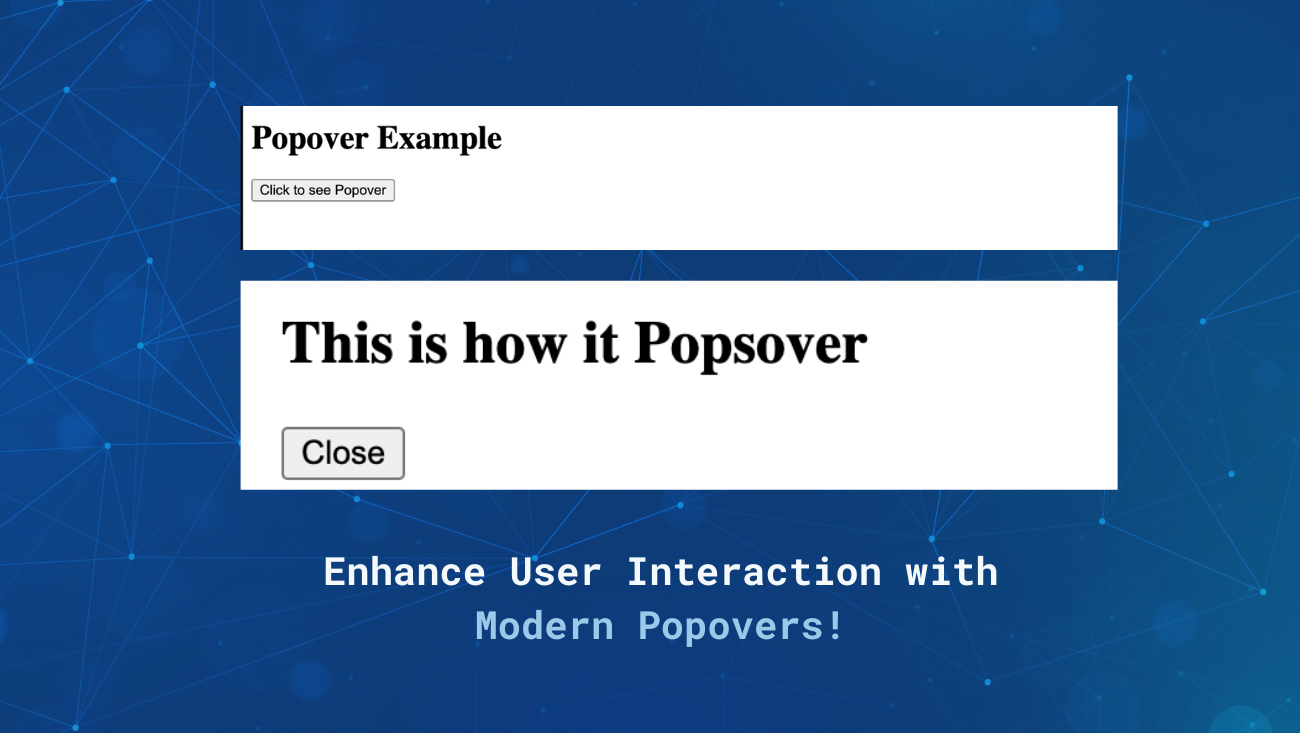
Imagine you have a button on your screen. When a user hovers over it, a little box with additional information pops up. That’s a popover! They’re a great way to provide context without overwhelming users with too much information at once.
Creating a user interface (UI) that is both visually appealing and user-friendly is crucial for the success of any web application. One essential UI component that can enhance user interaction is the popover.
Popovers are small overlays that provide additional information or options without cluttering the main interface. Thanks to the modern Popover API, implementing these components has never been easier. In this article, we’ll explore how to use the Popover API both declaratively and programmatically, helping startups build better products.
Understanding the Popover API
The Popover API is a recent addition to web development tools that simplifies the process of creating and managing popovers. It allows developers to easily attach popovers to elements, enhancing the user experience without requiring extensive JavaScript knowledge.
Why Use Popovers?
- Enhanced User Experience: Popovers can display helpful information, tooltips, or action menus without disrupting the main content.
- Accessibility: Properly implemented popovers can be accessible to all users, including those using screen readers.
- Space Management: Popovers help manage screen real estate efficiently by displaying additional information only when needed.
Declarative Approach with HTML Attributes
The declarative approach involves using HTML attributes to create popovers. This method is straightforward and doesn’t require writing JavaScript code.
Pros
Simplicity: easy to implement, especially for beginners.
Readability: Keeps HTML and functionality together, making the code easier to understand.
Cons
Limited Customization: Offers less control over the popover’s behavior compared to JavaScript.
Less Dynamic: It is harder to implement complex interactions that depend on user actions or other dynamic factors.
Code Example
Let’s create a simple popover using the declarative approach.
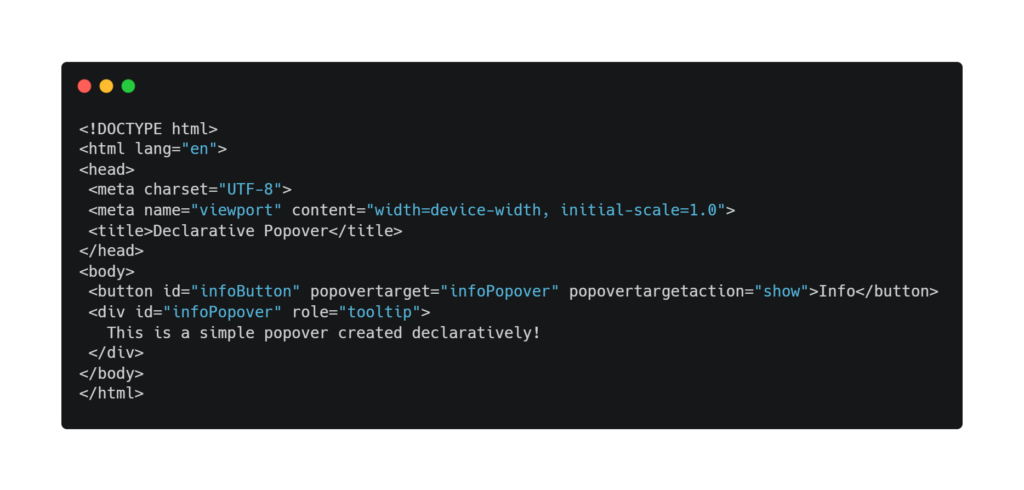
In this example, the button element has a popover target attribute that links it to the div with the info Popover ID. When the button is clicked, a popover is displayed.
Programmatic Approach with JavaScript
For more complex scenarios, the programmatic approach using JavaScript offers greater flexibility and control.
Pros
Flexibility: Allows for more complex interactions and behaviors.
Dynamic Content:You can You can dynamically change the content and behavior of the popover based on user actions or other factors.
Cons
Complexity: Requires more code and a good understanding of JavaScript.
Maintainability: This can make the code harder to maintain if it is not structured properly.
Code Example
Here’s how you can create a popover programmatically using JavaScript.
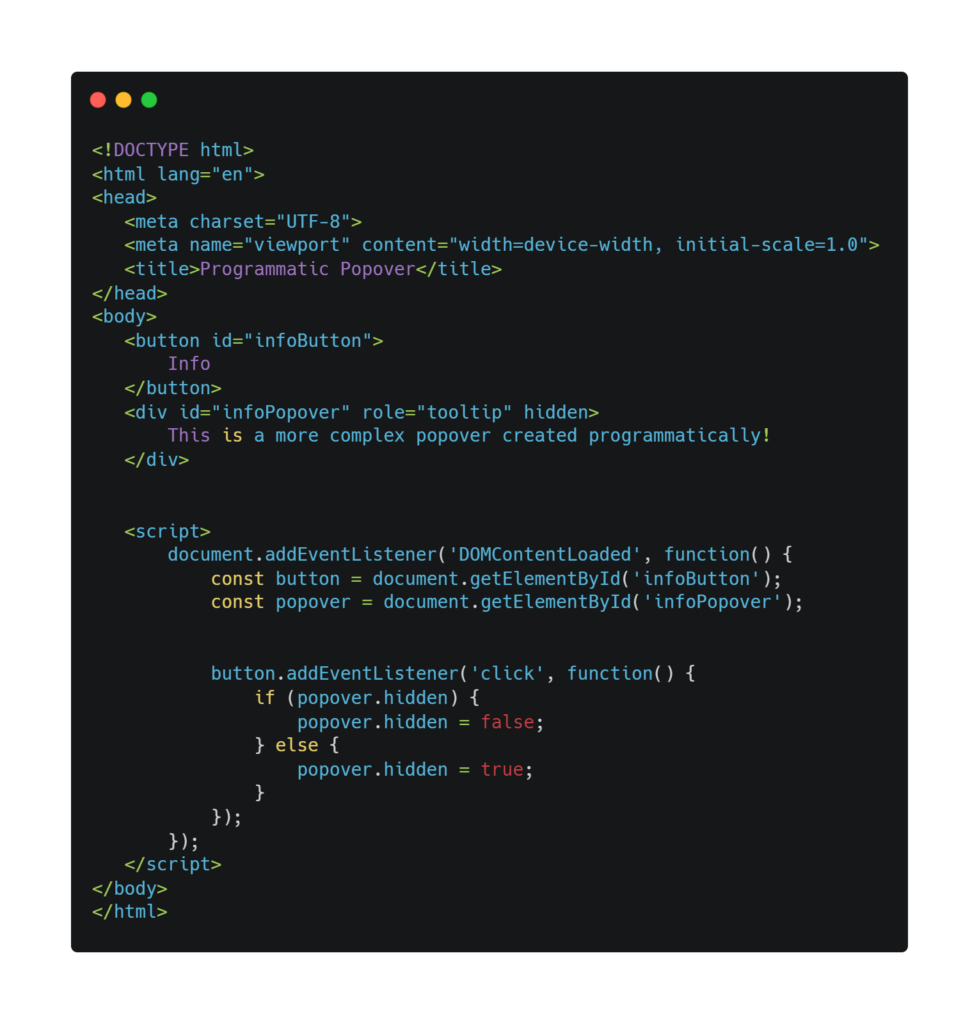
In this example, JavaScript is used to toggle the visibility of the popover when the button is clicked. This method provides more control over the popover’s behavior and can be easily extended for more complex interactions.
Choosing the Right Approach
The choice between the declarative and programmatic approaches depends on the specific needs of your project.
Use the declarative approach if:
You need a quick and simple solution.
Your popovers are static and do not require dynamic content or behavior.
Use the programmatic approach if:
You need more control over the popover’s behavior.
Your popovers require dynamic content or complex interactions.
Accessibility Considerations
Accessibility is a crucial aspect of modern web development. When implementing popovers, consider the following:
- Keyboard Navigation: Ensure that popovers can be opened and closed using keyboard shortcuts.
- Screen Readers: Use appropriate ARIA roles and attributes to make popovers accessible to screen readers.
- Focus Management: Ensure that focus is properly managed when popovers are opened and closed to avoid confusing users.
The Popover API is a powerful tool for enhancing user interfaces in web development. By understanding both the declarative and programmatic approaches, startups can choose the method that best suits their needs and build better products. Whether you’re looking for simplicity or flexibility, the Popover API has you covered. Start experimenting with popovers today and take your UI to the next level!