Mobile-First Design for Construction Management Software: Field Usability Guide
By Taher Pardawala · Co-Founder & Chief Executive Officer
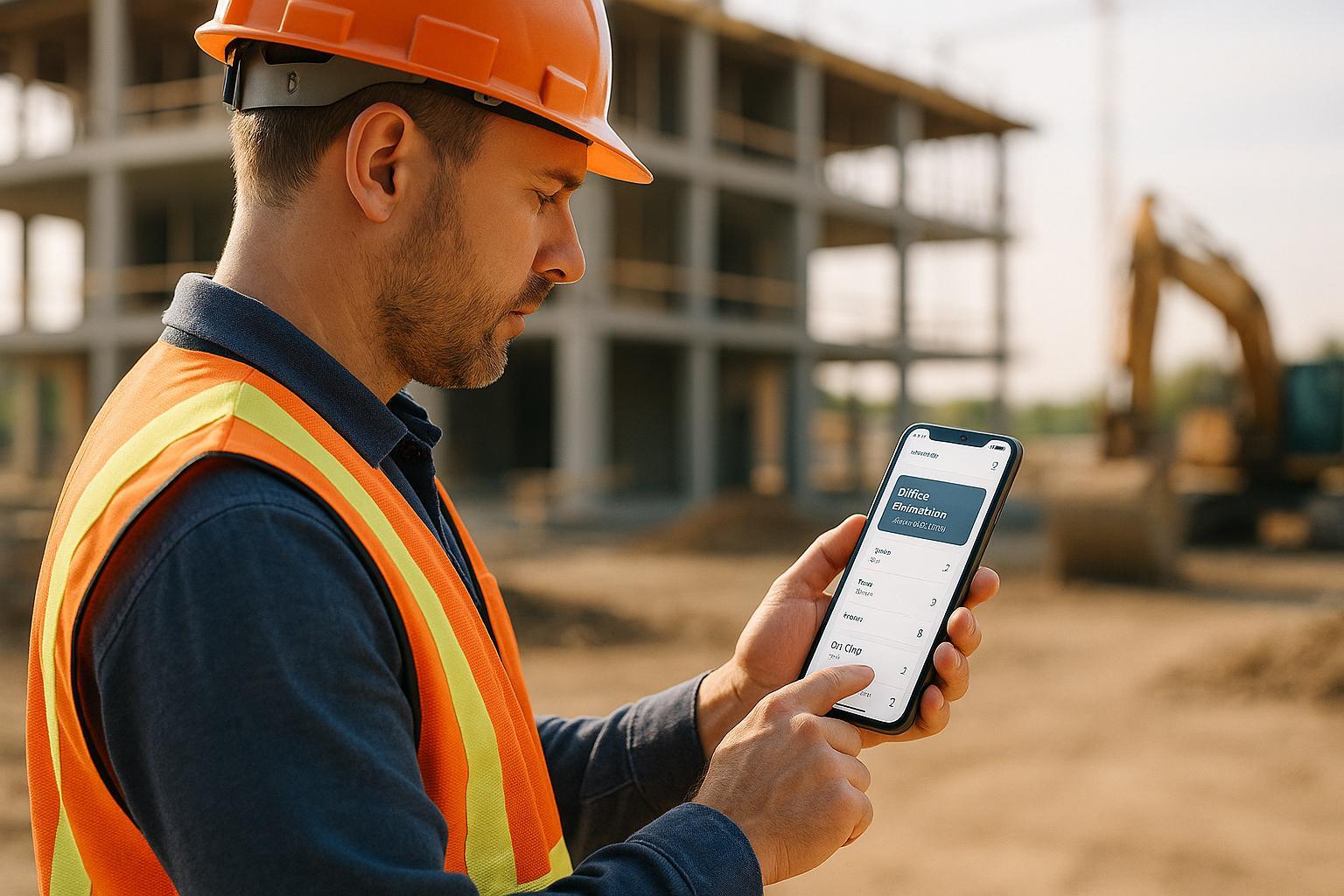
Want to make construction site workflows smoother and faster? Mobile-first design is the answer.
Here’s the deal: Construction teams need software that works seamlessly in tough environments. Mobile-first design prioritizes usability for workers in the field, ensuring they can access project data, resolve issues, and stay productive - anytime, anywhere.
Key Takeaways:
- Touch-friendly controls: Buttons sized for glove use (44×44 pixels or more).
- Offline access: Stay productive even without internet.
- Readable typography: Large fonts (16-18px) for outdoor visibility.
- Real-time tools: Quick data entry, voice commands, and photo documentation.
Why it matters:
- Reduces delays by resolving issues on-site.
- Saves up to 50% in costs and time.
- Improves safety and communication between field and office teams.
With features like high-contrast screens, rugged interfaces, and responsive design, mobile-first tools are transforming how construction teams work. Let’s dive deeper into overcoming field challenges and creating software workers trust.
5 CONSTRUCTION APPS THAT WILL BLOW YOUR MIND!!! 2023
Field Usage Barriers and Solutions
While the benefits of mobile-first design are clear, real-world challenges on construction sites can hinder its effectiveness. Research highlights that 35% of a construction professional’s time is lost to unproductive tasks like searching for information or dealing with tech limitations [1]. Let’s explore these barriers and practical ways to overcome them.
Site Conditions and Device Usage
Construction sites are tough environments for technology. Issues like sunlight glare, interference from protective gear, and unreliable connectivity can disrupt workflows. To tackle these, focus on:
- High-contrast screens for better visibility under bright sunlight
- Larger touch targets to ensure usability for workers wearing gloves
- Flexible layouts that adapt seamlessly to different screen sizes and orientations
- Rugged interfaces designed to withstand dust, moisture, and other harsh conditions
"We’ve saved at least 50% in costs and time." - Zerock Construction [1]
Core Features for Field Teams
Field teams need quick, reliable access to essential tools. A survey reveals that 88% of executives lose over 1,300 hours annually just compiling reports [2]. To address this, mobile construction management software should include:
- Task Management: Tools for real-time assignment tracking to keep workflows efficient
- Photo Documentation: Easy ways to capture visual updates for quality assurance
- Digital Forms: Standardized templates that simplify data collection and reporting
- Team Communication: Instant notifications and updates to keep everyone on the same page
Quick Data Entry Methods
Manual data entry remains a major bottleneck, with nearly half of construction managers still relying on it for critical jobsite data [2]. Modern tools can simplify this process by offering:
- Voice Commands: Hands-free options for quick data input
- Barcode Scanning: Fast tracking of materials and equipment
- Smart Forms: Pre-filled fields and automated calculations to save time
- Offline Capabilities: Local data entry that syncs automatically when connectivity is restored
For example, an $800 million healthcare project reduced the need for multiple QA/QC personnel by adopting efficient digital tools [1].
"Manual processes inhibit executives and managers from making timely decisions and from staying ahead of potential issues before they become big issues." - TrackVia Survey Authors [2]
Recognizing the realities of construction sites is key to designing effective mobile solutions. With 57% of executives reporting costs due to insufficient supplies and 58% of managers facing penalties from delays [2], these streamlined methods are essential for keeping projects on track, even in remote or challenging conditions.
Mobile Interface Guidelines for Construction Apps
Creating mobile interfaces tailored for field conditions and user needs is crucial. Studies reveal that well-optimized mobile designs can cut data access time by 25% and enhance QA/QC processes by 30% [1].
When designing for field usability, it’s essential to follow mobile-first principles, focusing on interfaces that balance simplicity with functionality.
Task-Focused Dashboard Design
Dashboards should prioritize frequently accessed information, ensuring users can quickly find what they need. Key components to include are:
- Progress tracking widgets with clear visual indicators
- Safety checklist modules displayed prominently
- Equipment status monitors showing availability and location
- Weather updates relevant to site operations
To ensure usability in bright outdoor conditions, dashboards should use high-contrast visuals for better readability [1]. Additionally, smooth and reliable touch interactions are critical to enhancing overall efficiency.
Touch Controls for Site Use
Fieldwork often involves protective gloves, which can affect touch accuracy. To address this, interface elements should use expanded touch targets, as outlined below:
| Element Type | Minimum Size | Recommended Spacing |
|---|---|---|
| Buttons | 44 × 44 px | 8px between elements |
| Form Fields | 44px height | 12px vertical spacing |
| Toggle Controls | 44px width | 16px horizontal gap |
Gesture controls should also be glove-friendly, with features like:
- Pinch-to-zoom with larger touch zones
- Single-tap actions for common tasks
- Swipe navigation with enhanced sensitivity
- Two-finger pan for reviewing documents
Responsive Interface Elements
Responsive design is essential to maintain consistency across diverse field conditions and devices.
Adjustments Based on Priority:
- Critical alerts and notifications should automatically scale for visibility.
- Non-essential elements can collapse into expandable menus.
- Status indicators should combine color and icons for better clarity.
- Form fields should expand when focused, making data entry easier.
To ensure smooth performance under limited connectivity, utilize techniques like browser caching, image compression, and fluid layouts. For instance, compressing images can significantly reduce load times while maintaining enough quality for documentation [1]. This adaptability is especially important as workers switch between handheld devices and vehicle-mounted tablets throughout the day [1].
Lastly, the interface must provide clear visual feedback about connectivity. Indicators should display:
- Network connection strength
- Pending data uploads
- Offline mode status
- Sync progress
These features ensure workers stay informed, regardless of connectivity challenges on-site.
Software Reliability in Remote Locations
Mobile-first design isn’t just about creating user-friendly interfaces; it also means ensuring software remains dependable even in challenging environments. Construction sites, often located in areas with spotty or nonexistent connectivity, demand software that performs consistently. Beyond intuitive mobile interfaces and streamlined data entry, having offline functionality is key to keeping operations running smoothly in the field.
Offline Data Management
Offline capabilities play a crucial role in ensuring uninterrupted workflows, regardless of network availability. Here are some essential strategies:
Automatic Data Persistence
- Save data locally when offline to prevent loss.
- Sync data automatically once a connection is restored.
- Handle simultaneous edits intelligently to avoid conflicts.
- Provide clear sync status indicators to keep users informed.
"Being out in the field or on a remote jobsite shouldn’t stop you from getting your work done. The Device Magic mobile forms app makes sure that you can." - Device Magic [3]
Data Synchronization Priority
Different types of data require varying levels of synchronization urgency. Here’s how priorities are typically handled:
| Data Type | Sync Priority | Storage Method |
|---|---|---|
| Safety Reports | High | Instant local save |
| Progress Photos | Medium | Local storage |
| Equipment Logs | High | Real-time persistence |
| Project Documents | Low | Background sync |
By ensuring critical documents and data are stored locally, teams can maintain productivity even during network outages.
Local File Storage
Field teams often need instant access to essential resources, especially when working offline. These include:
- Project specifications and technical drawings
- Safety protocols and checklists
- Equipment maintenance manuals
- Quality control forms and templates
"Offline data collecting from the field is an essential task across many industries, and recent advances have made it easier than ever." - Fulcrum [4]
Speed and Connection Handling
Reliability goes beyond just storing and syncing data - it’s also about keeping the app responsive, even with limited connectivity. Important features for this include:
- Automatic mode switching to adapt between online and offline states.
- Batch synchronization for large data sets to minimize risks during unstable connections.
- Incremental data refresh mechanisms to ensure smooth updates.
The system also uses advanced conflict resolution techniques, moving past basic "last-in wins" methods [5]. For handling large data sets, batch syncing reduces potential errors caused by weak or interrupted connections [5].
On-Site Software Testing
Testing software in real-world environments is crucial for ensuring it performs as expected. Controlled lab conditions can’t fully replicate the unpredictable challenges of field sites, which is why on-site testing plays such an important role in validating both performance and usability.
Device Durability Tests
Construction software often operates in tough environments, so the devices running it need to be just as rugged. Testing focuses on several critical factors:
- Screen visibility: Can the screen be easily read in bright sunlight?
- Touchscreen responsiveness: Does it work smoothly when users wear gloves?
- Dust resistance: How well does it handle exposure to dust-heavy conditions?
- Waterproofing: Is the device resistant to water or rain?
- Impact protection: Can it survive drops or rough handling?
- Usability: Is it easy to operate with one hand or when hands are dirty or wet?
- Battery life: Does the battery last long enough for a full day’s work?
- Vibration resistance: Can it endure constant movement or vibrations?
Performance Measurement
Testing in the field also evaluates how efficiently the software handles tasks. Metrics like task completion speed, navigation ease, input accuracy, and media processing times are carefully analyzed. These insights help identify performance bottlenecks and guide updates to improve the software’s overall reliability.
User Feedback Loop
Direct feedback from the field is essential for refining mobile software. A study on construction management apps highlighted the importance of structured feedback collection [6].
Gathering Input from Field Workers
- Use digital surveys to collect insights from active construction crews.
- Observe and document common usage patterns during daily tasks.
- Track which features are used most frequently.
- Identify recurring issues or frustrations reported by workers.
Acting on Feedback
- Analyze feedback trends from multiple job sites to spot common themes.
- Prioritize updates based on which issues have the biggest field impact.
- Test new updates with a select group of users to ensure improvements are effective.
- Monitor performance metrics after updates to confirm they’ve resolved prior concerns.
"Being out in the field or on a remote jobsite shouldn’t stop you from getting your work done. The Device Magic mobile forms app makes sure that you can." - Device Magic [3]
Conclusion: Implementing Mobile-First Construction Software
When properly implemented, mobile-first construction software can deliver measurable results, with construction teams often seeing returns on investment within 6 to 18 months [7]. The key lies in ensuring the software is both reliable and user-friendly, which starts with a thoughtful approach to deployment.
Here are three critical areas to focus on:
- Performance Optimization
Prioritize speed and reliability across various network conditions, including providing strong offline functionality. This improves productivity on-site and encourages workers to fully adopt the software. - User-Centric Design
Tailor the design to align with real-world workflows and on-site routines. As noted, "Using this approach you can easily calculate hard dollar amounts with certainty. But, your analysis should also be holistic. It should include benefits that may be difficult to translate into hard dollars, but are still real benefits" [7]. - Progressive Enhancement
Start with core mobile features that address immediate needs, then gradually expand. Each new feature should clearly address operational goals.
For example, SPARK client Andy Egan‘s firm used this strategy to streamline field operations and unlock new revenue opportunities [7]. By focusing on practical implementation and continuous improvement, mobile-first solutions can transform how construction teams operate.
FAQs
How does a mobile-first design improve safety and communication on construction sites?
Mobile-first design plays a key role in improving safety and communication on construction sites by delivering real-time updates and ensuring smooth connectivity. With tools optimized for mobile use, teams can quickly share safety alerts, report hazards, and stay updated on site conditions. This keeps everyone informed, prepared, and working together effectively.
Mobile devices also make safety management easier by providing live tracking of on-site personnel, their roles, and any emergency notifications. They further enhance efficiency by allowing workers to collect and submit structured data directly from the field. This reduces the errors and delays that often come with manual paperwork. The result? A safer, more streamlined work environment that meets the fast-moving demands of construction projects.
How can construction management software stay reliable in areas with poor connectivity?
When working on remote or low-connectivity construction sites, having software with offline functionality is a game-changer. It lets users access essential tools and record data even without an active internet connection. To keep things running smoothly, data synchronization ensures that updates happen automatically once connectivity is back. On top of that, adding error handling and retry mechanisms helps safeguard against data loss and ensures the system performs reliably, even in tough conditions.
How can construction teams evaluate the ROI of adopting mobile-first design in their management software?
To figure out the return on investment (ROI) for adopting a mobile-first design in construction management software, start by crunching the numbers for net profit. This means adding up the financial gains - like boosted efficiency, fewer errors, and smoother communication - and then subtracting the total costs, such as development, training, and ongoing upkeep.
The formula you’ll use is: ROI = (Net Profit / Cost of Investment) × 100. For example, if a mobile-first design speeds up task tracking and cuts down on project delays, the resulting time and cost savings can be measured against what you initially spent. This calculation gives you a clear percentage return, showing whether this design approach is actually delivering measurable benefits for your team.
Related Blog Posts
- Why Construction Software Feels Stuck in the 90s: UI/UX Challenges in Industrial Applications
- Mobile-First Construction: Bringing Field Operations into the Digital Age
- Why Construction Tech UX Is Different: Designing for Jobsite Realities
- Responsive Design for Construction Sites: Making Web Apps Work in the Field