
Why Agentic IDEs Still Struggle With Legacy Refactors – and the Failure Modes to Watch For
Taher Pardawala June 29, 2026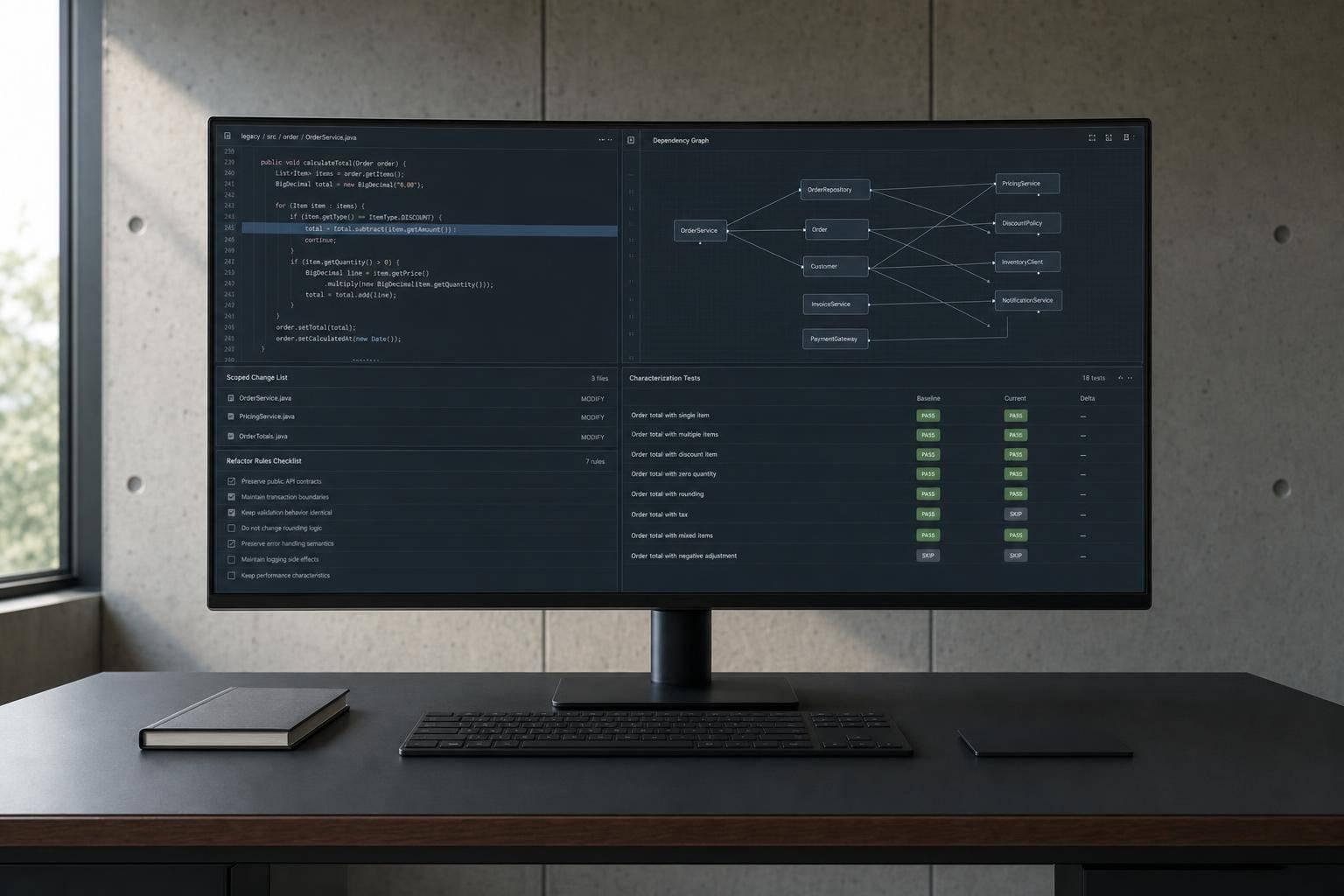
If you use an agentic IDE on old code, the main risk is simple: it can change code that looks fine and still break behavior your tests never check.
I’d sum the article up like this: these tools do best on small, local edits. They start to fail when a refactor spans many files, old workflows, shared state, or undocumented rules. In one cited finding, model performance dropped hard at 50,000 tokens even on a 200,000-token model, and some agents read long files in chunks of about 250 lines at a time. That means the tool may act before it has seen the whole story.
If I were using one on a legacy refactor, I’d do four checks first:
- Limit scope so the task fits the code the agent can keep in view
- Map dependencies so shared state, side effects, and old flag paths are visible
- Add characterization tests so current behavior is recorded before edits start
- Set hard rules in files like
AGENTS.md,CLAUDE.md, or.cursorrules
The article’s core point is blunt: legacy refactors fail for repeatable reasons. The big ones are partial context, hidden coupling, weak tests, and invented APIs. If you make those risks plain before the first edit, you cut the chance of a quiet regression.
Code-Guided Agents for Legacy System Modernization | Calvin Smith, OpenHands
sbb-itb-51b9a02
Quick comparison
| Failure mode | What goes wrong | First thing I’d do |
|---|---|---|
| Partial context | The agent updates one area but misses callers or linked code | Keep the change inside one bounded subsystem |
| Hidden coupling | Side effects, shared state, or timing rules change | Map dependencies and document invariants |
| Weak validation | Tests pass while behavior drifts | Write characterization and flow-level tests |
| Hallucinated APIs | The agent uses methods or patterns that do not exist | Point it to defining files and run strict type checks |
So before I let an agent touch legacy code, I’d treat the prep work as part of the refactor itself: shrink the task, map the system, lock in current behavior, and force review on any multi-file or boundary-crossing change.
Problem 1: The Agent Never Sees the Whole System
Legacy refactors tend to fail when the agent can’t see every caller, dependency, and invariant touched by the change. That’s the heart of the issue. Agentic IDEs don’t view a codebase as one complete system. They index it in chunks and pull the nearest matches, which gives them part of the picture, not the whole thing.
How Context Gets Lost in Large Refactors
Scale is the main problem. Large legacy repos go far past current context windows, and performance starts slipping before the window is even full. Research on 18 frontier models found major drops at just 50,000 tokens on a 200,000-token model [9]. Models tend to track the start and end of a prompt better than the material buried in the middle.
That gets messy fast in old codebases. Some agents read long files in slices of about 250 lines per call [10]. So if a key method runs 1,200 lines long, like OrderProcessor.processOrder() in one legacy Java refactoring benchmark, the agent may begin editing before it has seen the full method [8]. The change can look fine in that small slice, then quietly break behavior later on.
Failure Modes: Incomplete Edits and Broken Global Assumptions
The most common failure is a partial refactor. The agent updates one function, but misses callers, signatures, or companion code in other modules. In one legacy Java refactoring benchmark, some tools introduced hallucinations or broke thread-safety by changing synchronized blocks while refactoring that same 1,200-line method [8].
There’s another problem too: too many irrelevant matches. Generic terms like retry or delete can pull in code from dozens of services, including Kafka consumers, billing logic, and webhook handlers. The agent then misses the exact dependency it needed.
In legacy systems, retrieval often finds code that looks related instead of the exact callers, interfaces, and downstream assumptions that need to change together. It’s a bit like fixing one pipe in a basement while missing the valve that controls the whole floor.
Mitigations: Reduce Scope Before You Automate
The safest move is to narrow the task before the agent edits anything. Focus on one bounded subsystem, map its direct callers and imported types, and spell out the invariants that must stay the same, like "preserve the synchronized block" or "don’t change public method signatures". Those constraints almost never show up in comments [6][8].
A few guardrails help:
- Store those rules in a rules file
- Check that the semantic index matches the current commit [11]
- Keep the task small enough that the agent can hold the needed context
Treat context like a budget. Smaller tasks usually lead to safer edits.
Even then, hidden coupling can still turn a clean-looking edit into a regression.
Problem 2: Hidden Coupling Turns Clean Edits Into Production Regressions
An agent can make code changes that look clean on the surface and still break production. That happens because the risk often isn’t in the file it changed. It’s in behavior that sits somewhere else. Once you map coupling, the next problem shows up fast: can you even check that the refactor is safe?
Where Hidden Coupling Usually Lives
Legacy systems pick up invisible contracts over years of patches and workarounds. A static singleton might hold state that another module quietly depends on. A utility might kick off side effects in other parts of the system, like logging, cleanup, or invalidation. Then you have feature flags, which make things messier. Agents often follow the most common pattern they see in the codebase, and that’s often the old path that should’ve been removed after a half-finished rollout.
A lot of the hard rules don’t live in code at all. They live in postmortems, chat threads, stale comments, and plain old team memory. So even if the syntax looks fine, the agent still can’t infer those constraints from code alone.
Failure Modes: Quiet Behavior Drift
The worst failures are the quiet ones. Execution order changes. Cache invalidation disappears. Downstream cleanup stops firing. Nothing crashes right away, but behavior drifts.
AI-authored code produces more issues per PR in mature codebases, and those issues tend to be logic and I/O regressions instead of syntax failures [2][3].
Another failure mode doesn’t get enough attention: duplicate logic. If an agent misses an existing workflow, it may build a second utility that does almost the same thing, leaving two mismatched implementations running side by side [2].
Mitigations: Map Dependencies Before Changing Them
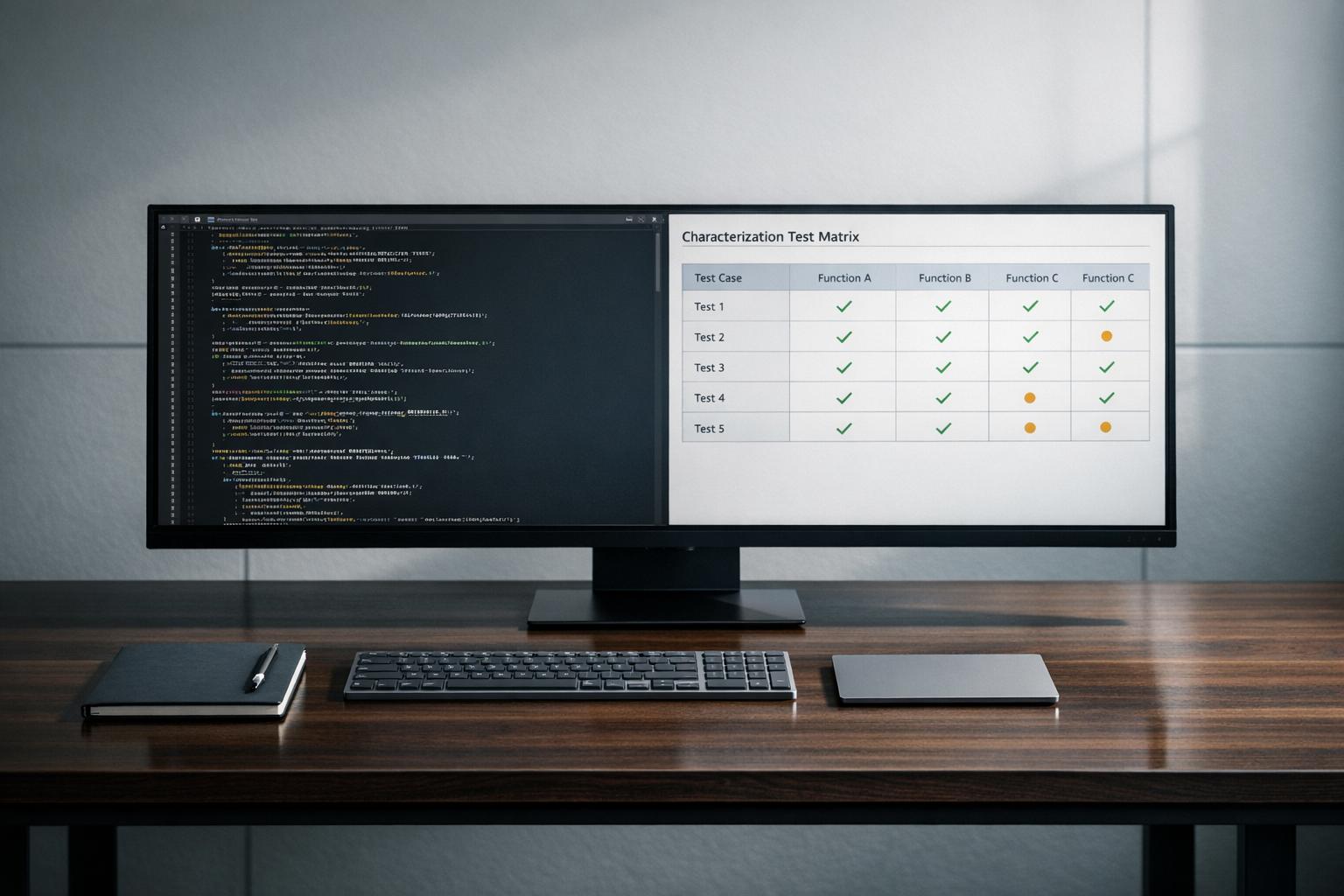
Make hidden dependencies visible before the agent edits anything. A version-controlled AGENTS.md file can spell out shared-state hotspots, restricted areas, and required workarounds [3]. Then add characterization tests. Have the agent write tests that record what the code actually does before refactoring starts, even if that behavior includes known bugs. That gives you a behavioral baseline to compare against.
It also helps to split additive changes from structural ones. Additive work can handle more agent freedom. Structural work needs human review [12].
Use the table below to match each coupling pattern with the first check to run.
| Coupling Type | Likely Failure Mode | Pre-check to Run First |
|---|---|---|
| Shared State / Singletons | Assumes local scope; breaks initialization or invalidation | Map all static singletons and shared config reads in AGENTS.md |
| Implicit Workflows | Misses side effects outside the edited file | Use runtime tracing or dependency graphs to surface side effects |
| Stale Feature Flags | Picks the deprecated pattern | Inventory and clean up stale flag branches before refactoring |
| Duplicated Business Rules | Modernizes a pattern that must remain unchanged | Document why unusual patterns exist in a business rules reference |
| Temporal / Execution Order | Changes timing and breaks downstream expectations | Map service-to-queue flush/read sequences; use characterization tests |
Problem 3: Weak Tests and Hallucinated APIs Make Validation Unreliable
Even if you’ve already mapped coupling and kept the refactor tight, one problem still remains: how do you know the agent’s output is correct? In legacy code, that usually comes down to two risks at the same time:
- tests that pass but don’t check enough
- made-up APIs that sound right but don’t exist
Once coupling is mapped, validation is the last gate before merge.
Why Missing Tests Leave the Agent Operating Without Behavioral Proof
Legacy test suites can look solid in a dashboard and still miss the behavior that matters. An agent can only work against the tests it has. So if those tests are shallow, a green test run doesn’t prove much. It only proves the suite covered something, not that the refactor kept the system’s behavior intact.
A common gap is side effects. Say a function kicks off audit logging, session invalidation, or billing cleanup. If no test checks those outcomes, the agent can remove that trigger and every test still passes [5]. The same problem shows up with undocumented invariants, like a function that must run only after a certain initialization sequence or must never be called from multiple goroutines [2].
The dangerous case is simple: code compiles, tests pass, and the system still breaks an uncovered invariant [2].
Why Hallucinated APIs Are More Dangerous in Legacy Stacks
Legacy stacks make API hallucinations tougher to catch. An agent may infer internal APIs that seem plausible but either never existed or were deprecated long ago [1].
Keyword-based retrieval can make that worse. If a key dependency doesn’t share the same keywords as the task, the agent may miss the file that defines it. Then it can suggest a non-existent or outdated alternative instead [15].
Mitigations: Add Guardrails Before Trusting the Output
At this stage, the issue isn’t scope. It’s proof.
Start with characterization tests. They give you a baseline for spotting drift [1][13]. Then use retrieval and type checks to verify what the agent produced.
For API hallucinations, give the agent structural context instead of leaning on keyword retrieval alone. Explicitly @-mention the files that define internal APIs, plus their type definitions and immediate callers, so the model is grounded in the actual signatures [15].
.cursorrules or CLAUDE.md should store version-specific rules and deprecated patterns. Record the stack version, deprecated patterns, and global side effects there so the agent has the right constraints up front [7][4].
Also, set a simple rule: require human review for any multi-file diff or new module boundary.
| Failure Mode | Missing Validation Signal | Best Detection Method |
|---|---|---|
| Missing Side Effects | Code compiles but downstream events no longer fire | Characterization tests that explicitly assert on external side effects [13] |
| Hallucinated APIs | Agent calls non-existent or outdated internal methods | Check that retrieval returns the defining files, then enforce strict type-checking [1][13] |
| Behavioral Drift | Logic changes while unit tests still pass | Integration tests covering end-to-end critical user flows [13] |
| Outdated Library Patterns | No version-specific constraints in the prompt | Library and version constraints in .cursorrules [4] |
Conclusion: A Preflight Checklist for Safer Agentic Refactors
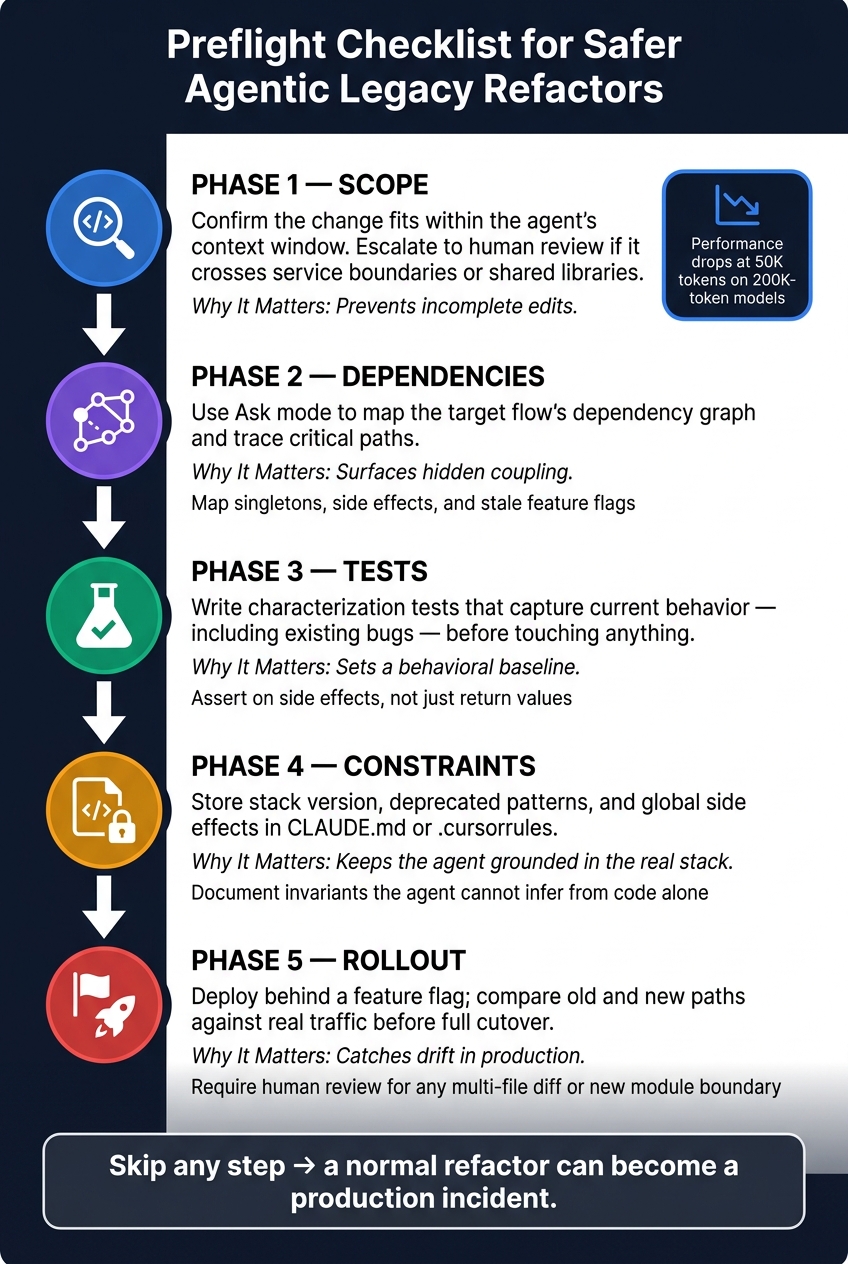
Preflight Checklist for Safer Agentic Legacy Refactors
Agentic IDEs tend to break down during legacy refactors for four repeat reasons: partial context, hidden coupling, weak behavioral validation, and a habit of producing code that looks right but isn’t.
The way around that is simple: do the preflight work first. Make the scope, dependencies, tests, and constraints explicit before the first edit. That turns prep from a one-off chore into a repeatable step your team can use every time.
Use this sequence before any agent-assisted legacy refactor:
| Phase | Action | Why It Matters |
|---|---|---|
| Scope | Confirm the change fits within the agent’s context window; escalate to human architectural review if it crosses service boundaries or shared libraries [1][13] | Prevents incomplete edits. |
| Dependencies | Use Ask mode to map the target flow’s dependency graph and trace critical paths [13][6] | Surfaces hidden coupling. |
| Tests | Write characterization tests that capture current behavior – including existing bugs – before touching anything [13][14] | Sets a behavioral baseline. |
| Constraints | Store stack version, deprecated patterns, and global side effects in CLAUDE.md or .cursorrules [7][4] |
Keeps the agent grounded in the real stack. |
| Rollout | Deploy behind a feature flag; compare old and new paths against real traffic before full cutover [13][7] | Catches drift in production. |
Each step strips away one failure mode before the agent touches the code. Skip scope, dependencies, or tests, and what should’ve been a normal refactor can turn into an incident fast.
Before refactoring, remove uncertainty: document invariants, add characterization tests, and map the system’s actual behavior.
FAQs
When is a legacy refactor too large for an agentic IDE?
A legacy refactor gets too large when the scope goes past what an agentic IDE can hold in its head. At that point, it starts losing track of structure, missing dependencies, or making changes that look fine in isolation but break something a few files away.
This tends to happen when the work cuts across many parts of the codebase, when systems are tied together in ways that aren’t obvious, or when the diff gets so big that checking it by eye turns into guesswork.
You can lower the risk by doing a few simple things:
- Lock in current behavior with characterization tests
- Split the refactor into small steps you can verify as you go
- Write down hidden rules and constraints in project context files
- Commit after each step so rollbacks stay clean and easy
That way, each change stays small enough to inspect, test, and trust before you move on.
What should I test before letting an agent refactor old code?
Before changing anything, put a behavioral safety net in place.
Have the agent write characterization tests for the system’s current observable behavior. That includes normal flows, edge cases, and error states – even when the current behavior is wrong. The point isn’t to bless bad behavior. It’s to make sure you can see what changed after the edit.
It also helps to flag high-risk areas up front. Look for parts of the codebase that are more likely to break or send the agent off course, such as:
- high-complexity functions
- code with too many callers
- global state
- direct database queries
Then add AST-level validation. This gives you a backstop for things compilers may not catch, like made-up symbols, missing references, or removed code blocks that still leave the file syntactically valid.
How can I catch hidden coupling before it causes regressions?
Map hidden dependencies before you touch the code. Pay close attention to global state, singletons, and environment variables, because those are often where surprises live. Then add characterization tests to lock in current behavior, quirks included, and treat those tests as hard constraints while you refactor.
Keep the work small and narrow in scope. Each change should do one thing. After every slice, check behavior with care, and use static semantic analysis to compare the old and new code so critical symbols or dependencies don’t disappear.







Leave a Reply