

Designing software for professionals who aren’t tech-savvy but are experts in their fields – like healthcare, law, or logistics – requires a unique approach. These users prioritize solving practical problems over mastering software and often rely on specialized workflows and terminology. The challenge? Building tools that simplify their work without disrupting it.
Key Takeaways:
- Understand their needs: Speak their language and align with their workflows to avoid confusion or errors.
- Simplify without oversimplifying: Use intuitive design practices like staged disclosure, recognition over recall, and undo options.
- Leverage collaboration: Methods like Event Storming bring domain experts and developers together for better insights.
- Use modern tools: No-code/low-code platforms and AI can speed up development while empowering users to create solutions independently.
- Focus on usability: Measure success through task completion, reduced cognitive load, and user satisfaction.
The goal is clear: create tools that respect domain expertise while reducing technical barriers. By prioritizing usability and collaboration, you can build software that professionals trust and rely on.
Modelling the Domain Model with the users mental model in mind – Anita Kvamme – DDD Europe 2019
sbb-itb-51b9a02
Gathering Domain Knowledge Without Adding Complexity
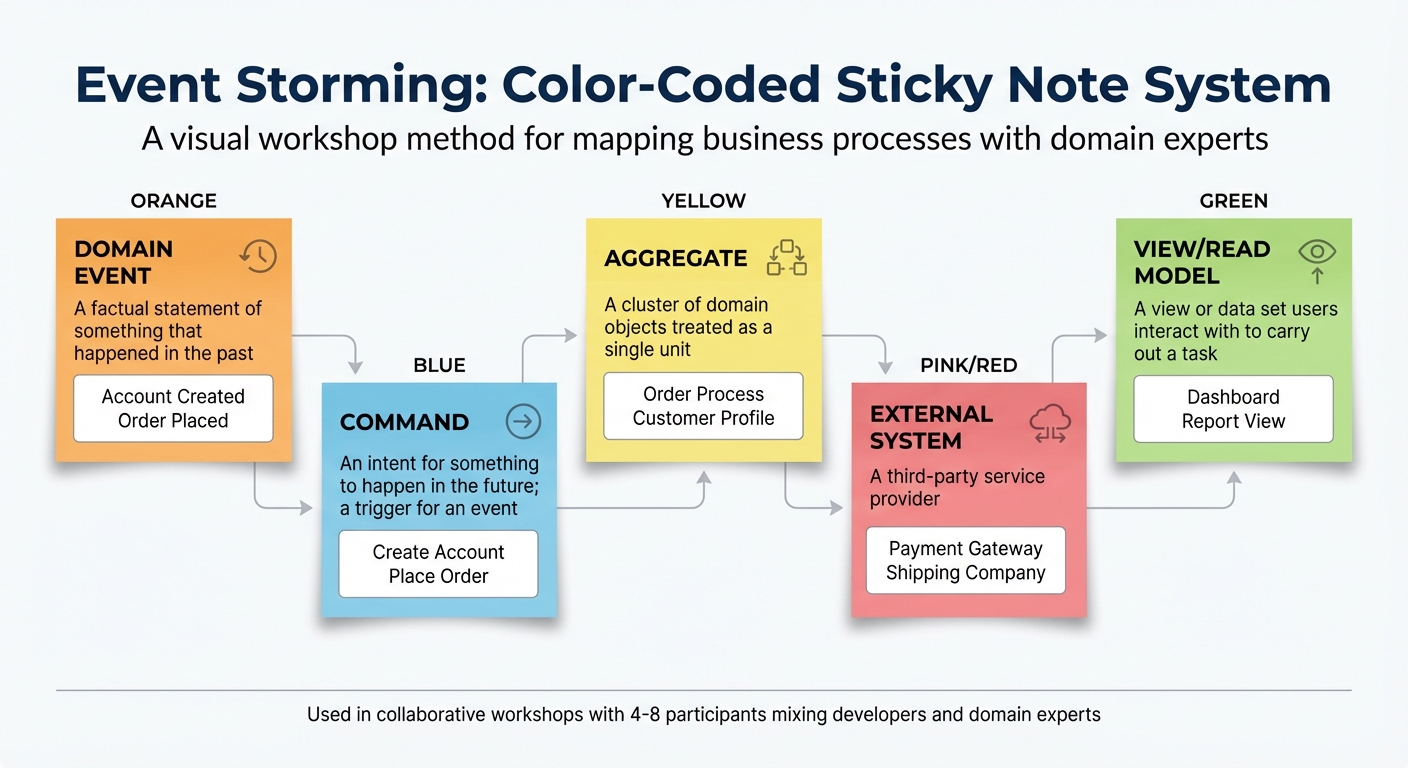
Event Storming Sticky Note Color-Coding System for Domain-Driven Design
To create software that domain experts genuinely adopt, it’s essential to understand their workflows and speak their language. The challenge lies in capturing their expertise without overwhelming them with technical details.
Using Event Storming Workshops
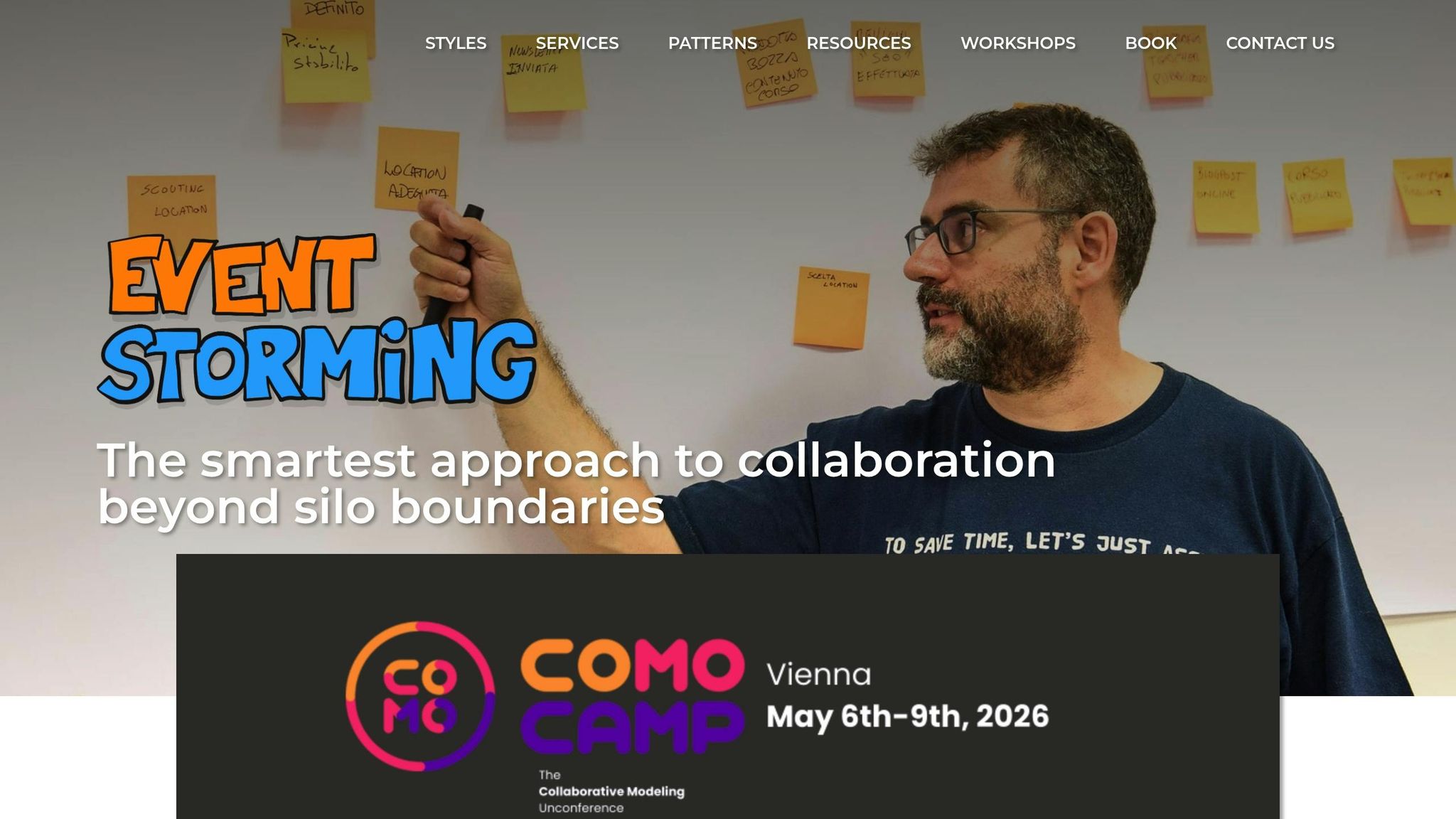
Event Storming is a hands-on workshop approach that brings together technical and non-technical stakeholders. Unlike traditional methods like UML or BPMN, this approach uses color-coded sticky notes on a wall or virtual board to visually map out business processes, making it accessible to everyone – no coding knowledge required [4][6]. This method allows domain experts to contribute fully, regardless of their technical background.
Workshops typically include 4 to 8 participants, blending "people with questions" (developers) and "people with answers" (domain experts, product owners, or executives) [9]. The primary focus is on Domain Events – key business interactions stated in the past tense (e.g., "Order Created" or "Payment Processed") – keeping discussions centered on actual business occurrences rather than technical implementation [4][6].
"Event storming is a workshop-based approach to Domain Driven Design that brings technical and non-technical stakeholders together to explore complex business domains."
– Creately Blog [6]
A 2021 IBM Garage project showcased the power of Event Storming in tackling vaccine shipping challenges. The team identified personas like Julia (delivery coordinator), Ganesh (health official), and Maria (medical coordinator) to map out processes. Using orange sticky notes for events like "Order Created" and blue lines to separate sub-domains like manufacturing and cold chain monitoring, they crafted a Minimum Viable Product (MVP) to address bottlenecks in the vaccine supply chain [8].
Here’s a breakdown of the sticky note color-coding used in Event Storming:
| Sticky Note Color | Concept | Description |
|---|---|---|
| Orange | Domain Event | A factual statement of something that happened in the past (e.g., "Account Created") [5][6] |
| Blue | Command | An intent for something to happen in the future; a trigger for an event [5][6] |
| Yellow | Aggregate | A cluster of domain objects treated as a single unit (e.g., "Order Process") [5][6] |
| Pink/Red | External System | A third-party service provider like a payment gateway or shipping company [5] |
| Green | View/Read Model | A view or data set users interact with to carry out a task [5] |
To ensure active participation, workshops often eliminate seating [7][9]. Instead of starting at the beginning of a process, participants place a key event in the middle and work both forward and backward [9]. Asking questions like "What must occur before this event?" can help uncover hidden dependencies. This approach enables teams to map out a complete business process in just a few hours, compared to the weeks traditional methods might require [6].
This visual mapping naturally transitions into structured, user-focused design practices.
Applying Design Thinking Practices
Design Thinking in complex domains starts with understanding how domain experts operate – their policies, terminology, and decision-making processes. This requires on-site research with frontline users, supervisors, and related teams [2]. By triangulating insights from multiple sources, teams can uncover dependencies and pain points that might go unnoticed in individual interviews. Scenario-based evaluations, where experts walk through real-world situations like responding to market shifts, further illuminate their thought processes [2].
"Working on complex applications doesn’t require inventing a new UX process; it just requires refining the one you already have."
– Kate Kaplan, Nielsen Norman Group [2]
During ideation sessions, setting clear constraints – such as regulatory requirements or data limitations – can guide creativity [2]. Hosting "viewing parties" to share user research clips fosters empathy across teams, while posing "How Might We" questions transforms insights into actionable design challenges [10].
Testing Assumptions Through Iterative Feedback
Prototyping early helps avoid costly missteps. Low-fidelity sketches, storyboards, or clickable wireframes allow domain experts to test concepts and spot logic gaps before heavy development begins [2]. Collaborative sketching sessions with domain experts ensure interfaces align with their mental models, not just developers’ assumptions.
"Small but strategic shifts can help practitioners create usable, valuable, and trusted tools in even the most demanding environments."
– Kate Kaplan, Senior User Experience Specialist, Nielsen Norman Group [2]
When expert availability is limited, internal staff with relevant experience or structured feedback during training sessions can be valuable substitutes [2]. Features that reduce cognitive load – like open-ended notes or staged disclosure of advanced options – enhance usability [1]. Since users often prefer hands-on learning over tutorials, designs should encourage "learning by doing" with real-time previews and safe experimentation to minimize errors or data loss [1].
This iterative process lays the foundation for creating interfaces that feel intuitive and user-friendly.
Designing Intuitive and User-Centered Interfaces
Turning insights from earlier workshops into practical design choices, the focus here is on creating interfaces that empower users by reducing mental strain while respecting their expertise.
Prioritizing Simplicity and Usability
Good design hides complexity behind simplicity. One way to achieve this is through staged disclosure, where advanced features only appear when relevant. For instance, instead of overwhelming users with every setting upfront, options should unfold as tasks progress [1][11].
Another key principle is recognition over recall. Users shouldn’t need to memorize codes or technical terms. Contextual visual cues, like 3D reminders that appear on hover, help users stay efficient without switching screens or consulting manuals [11].
In visually demanding environments, like warehouses or clinics, visual salience is critical. Highlighting essential information ensures clarity, even with interruptions or poor lighting [11][2]. For example, instead of generic loading animations, detailed progress indicators can show what’s happening and how long it will take [11].
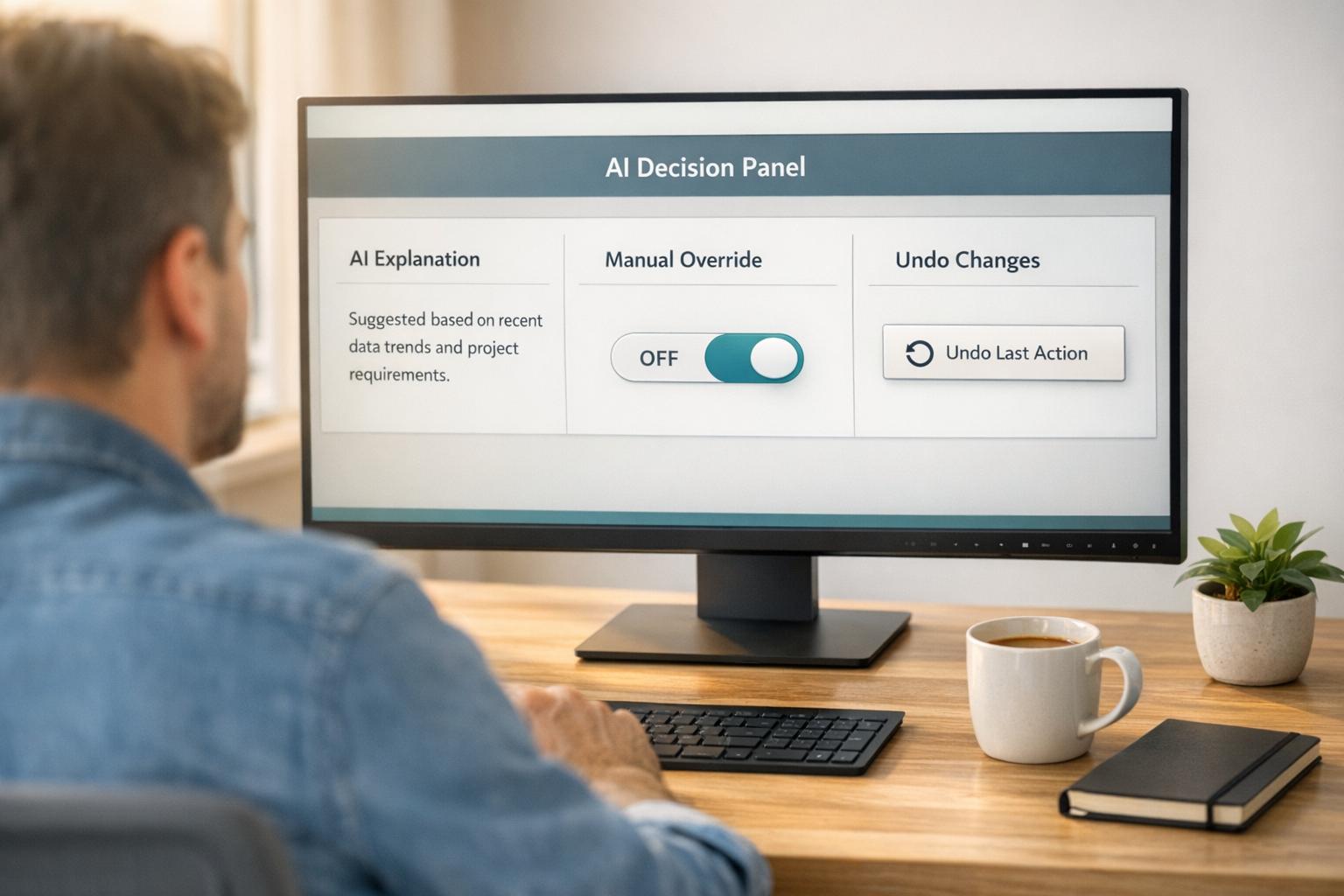
Lastly, offering robust "Undo" options and version history creates a safer space for experimentation. This encourages users to explore features without fearing irreversible mistakes [11].
Using Adaptive UX for Domain-Specific Customization
Beyond simplicity, adaptable interfaces fine-tune the experience by aligning with users’ expertise and behavior. Adaptive interfaces adjust to individual proficiency levels, avoiding the pitfalls of a one-size-fits-all approach.
Smart defaults leverage insights from experienced users to optimize settings for newcomers. By analyzing how "power users" interact with the software, you can set configurations that help beginners succeed while allowing experts to maintain their preferences [12].
"Designers can use smart defaults to create user interfaces that are simpler to navigate and more intuitive."
– Whipsaw [12]
Contextual adaptation is another powerful tool. For instance, during busy periods, dashboards can prioritize active tasks, keeping essential data front and center [12]. Features like modular UI components allow users to customize their experience – offering drag-and-drop tools for beginners and code-enabled editors for experts [13].
Layered navigation structures the interface into zones: a simplified dashboard for quick summaries, an exploration layer for filters, and a deeper customization layer for advanced editing [13]. Some platforms even offer modes like "Beginner", "Intermediate", and "Expert", tailoring complexity and tools based on user selection or behavior [13].
Here’s a quick breakdown of user types and corresponding design strategies:
| User Type | Characteristics | Design Strategy |
|---|---|---|
| The Legacy | Long-term user, familiar but not efficient; fears productivity loss [3]. | Gradual improvements; emphasize discoverability of shortcuts [3]. |
| The Legend | Power user, highly fluent; relies on shortcuts and macros [3]. | Provide advanced tools and customization without disrupting usability [3]. |
| The Learner | Domain expert new to the software; struggles with workflows [3]. | Focus on learnability; use onboarding and inline help to build confidence [3]. |
"What [legacy users] often fear is loss of productivity, not change itself."
– Kate Kaplan, Enterprise Research & Strategy [3]
For long-term users, avoid abrupt UI overhauls that disrupt workflows. Gradual updates or offering legacy views can ease transitions. Inline tooltips and "just-in-time" tips are also effective for suggesting faster methods as users perform tasks [1][3].
The Role of Accessibility and Inclusivity
Domain experts come from diverse backgrounds, with varying levels of familiarity and physical abilities. Designing for inclusivity means accommodating this diversity while reducing cognitive strain.
Multi-modal interaction – including keyboard shortcuts, touch gestures, and voice commands – ensures accessibility for a broader audience [14][13]. Following Web Content Accessibility Guidelines (WCAG) ensures compatibility with screen readers, scalable fonts, and high-contrast modes [13].
Using domain-specific language instead of technical jargon makes interfaces more approachable for non-technical experts [11][14].
"The system should speak the users’ language, using words, phrases, and concepts they understand, rather than system-oriented terms."
– Microsoft Power Platform [14]
Environmental factors also matter. In noisy warehouses or fast-paced clinics, visual cues must stand out, and progress indicators should clearly convey status during interruptions [11][2]. Embedded tutorials and tooltips can guide users who are experts in their field but new to the system [3][11].
"Failing to recognize these nuances results in exclusionary design, inefficient workflows, and missed opportunities to improve user experience."
– Kate Kaplan, Senior User Experience Specialist, NN/g [3]
Accessibility isn’t optional – it’s essential for creating software that domain experts can trust. Features like safe, reversible actions build user confidence, making new tools easier to adopt [1][11].
Using No-Code/Low-Code Platforms and AI Tools
Benefits of No-Code/Low-Code for Domain Experts
Modern no-code and low-code platforms are changing the game for domain experts, making it easier than ever to simplify complex workflows. These platforms bridge the gap between technical development and domain expertise, empowering experts to create solutions without relying heavily on engineering teams. In fact, 65% of builders on these platforms are domain experts, with 51% solving problems in days and 80% completing solutions independently. And all of this happens while ensuring application security with features like SSO and data-level permissions [19][20].
The speed advantage is undeniable. What once took months or even quarters with traditional development can now be achieved in days or weeks. For example, 51% of builders report solving business problems significantly faster, and 80% can identify and solve problems without needing external engineering support [20].
Take the Go-To-Market team at ClickUp as an example. In 2025, they used Retool AI to build six custom tools that saved them hundreds of manual hours. Their "Order Form Reviewer" alone eliminated $200,000 per year in third-party automation costs [20]. Similarly, Aaron Schnider, an analytics engineer at Lithic, managed to replace manual SQL processes by creating a custom billing application in just one weekend. As he explained:
"I wasn’t going to write INSERT and UPDATE statements manually. I would rather spend time cranking out an application over the weekend" [20].
These platforms, combined with AI tools, are taking workflow automation to the next level.
AI-Powered Tools for Workflow Automation
AI tools are stepping in to handle more than just moving data – they’re analyzing unstructured content and breaking down plain-English instructions into actionable steps [16][18][21]. With natural language interfaces, domain experts can describe tasks in simple terms, like "When I get a Google Doc comment, send me a text", and the AI will translate these instructions into executable workflows [16][18].
Platforms like Retool Assist and Koder.ai focus on collaboration, working with users rather than for them. The AI helps identify data sources and drafts queries, but the final decisions still require human input to ensure accuracy. Gabriella Angiolillo, Product Lead at Retool, highlights this balance:
"Speed alone doesn’t matter when building production applications for a company. What matters is correctness, precision, and achieving usable solutions" [17].
The adoption of AI in these platforms has been swift. Within just two weeks of launch, 30% of new applications on Retool were being built with AI assistance [17]. For organizations with explicit AI mandates, the results are even more impressive – 74% of builders exceed productivity expectations set by leadership [20]. However, challenges remain. AI tools can sometimes "hallucinate", generating code that looks correct but fails under certain conditions. To address this, platforms now include built-in verification steps and require human review before changes go live [15][21].
By combining no-code/low-code platforms with AI, teams can dramatically accelerate the development of MVPs.
Building MVPs Faster with AlterSquare‘s 90-Day Program
AlterSquare offers a 90-day MVP program designed to streamline the entire process – from discovery and design to agile development, launch, and post-launch support. The program simplifies software creation for domain experts, focusing on user-centric design while avoiding unnecessary technical complexity.
One standout feature is the program’s emphasis on backend freedom. It allows teams to connect to any REST API or SQL database and export source code, avoiding vendor lock-in [15][23]. This flexibility is critical as products scale, enabling teams to transition to custom engineering without starting from scratch. AlterSquare also uses AI to go beyond code generation, helping turn vague concepts into detailed product briefs, user stories, and prioritized features [15].
For domain experts with deep workflow knowledge but limited technical skills, this approach strikes a practical balance. They can quickly prototype solutions and validate business logic, while AlterSquare’s engineering team refines the product with added security, robust data handling, and thorough testing [22]. This tailored approach not only saves time but also empowers domain experts to take charge of the development process.
The market for low-code technologies is booming, with projections estimating it will reach $44.5 billion by 2026. By then, 75% of all new applications are expected to be developed using these tools [23]. This shift signals that what was once considered experimental is quickly becoming the standard.
Driving Adoption and Measuring Success
Key Metrics for Success
Encouraging adoption is crucial, but proving a software’s value lies in metrics like task success, reduced cognitive load, and user satisfaction. Common consumer metrics, such as daily active users or session frequency, don’t always apply to workplace software. As Kerry Rodden, a Quantitative UX Researcher at Google, points out:
"Engagement may not be meaningful in an enterprise context where users are expected to use the product every day as part of their work. In this case a team may choose to focus more on happiness or task success" [24].
Instead of just tracking logins, evaluate how effectively users complete tasks. Key metrics include the time it takes to finish workflows, task abandonment rates, and how often users need support. Tools like the Enterprise System Usability Scale (ESUS) streamline this process with fewer questions than traditional surveys [27].
Another crucial metric is "Time to Competency", which measures how quickly users can work independently without extensive training. For example, a mid-size retail company revamped its inventory database with embedded tutorials and role-based interfaces. Within three months, they saw a 40% increase in daily usage among warehouse and sales staff [25].
These metrics provide a solid foundation for making iterative improvements after launch.
Continuous Improvements with Post-Launch Feedback
Success doesn’t stop at launch – it evolves through ongoing feedback. Research shows that about 80% of the time, companies misjudge customer needs [29]. Netflix found that 90% of new features or ideas fail, and Quicken Loans‘ optimization experts correctly predicted test outcomes only 33% of the time [29].
To refine software, combine quantitative data – like analytics and heatmaps – with qualitative insights from interviews and surveys. While analytics reveal what users are doing, qualitative feedback helps uncover why. For instance, "rage clicks" (frustrated, repeated clicks on the same element) can highlight pain points that traditional metrics might miss [26]. Embedding real-time feedback tools, such as quick polls or open-ended comment boxes, can capture user frustrations as they happen [28].
Page Laubheimer, a Senior User Experience Specialist at Nielsen Norman Group, explains a common user behavior:
"In enterprise and complex software, many users satisfice – once they learn a method to complete a task, they stick to it, without trying to improve on it, even if it’s a poor workaround" [26].
Combat this by integrating in-context tooltips that guide users toward faster, more efficient methods while they’re working. Instead of waiting for users to find shortcuts on their own, offer proactive assistance to enhance their experience [2].
Maintaining Long-Term Engagement
Initial adoption is just the beginning. Sustained success requires balancing stability with gradual improvements to keep users engaged without overwhelming them. Kate Kaplan, a Senior UX Specialist at Nielsen Norman Group, highlights the challenges of introducing change:
"It wasn’t what they were used to. There was that resistance to change. They have great muscle memory. They have great experience. They know workarounds on how to maneuver or how to operate certain things" [3].
To ease transitions, avoid drastic UI overhauls that force users to relearn everything. Instead, offer legacy views during updates and communicate changes well in advance [3]. Create low-risk testing environments, like sandboxes or beta features, where users can explore new functionality without impacting live data [3]. Features like "undo", "redo", and "cancel" options also empower users to experiment without fear of making irreversible mistakes [11][14].
Consistency and responsive support are key to maintaining trust. Provide multiple feedback channels – such as Google Forms, Slack, or dedicated email inboxes – so users can report issues in ways that suit them best [30]. Conducting internal pilot tests before major updates can also catch potential problems early, ensuring user feedback leads to meaningful improvements.
Conclusion: Empowering Domain Experts Through Better Design
Creating software for domain experts isn’t about stripping away complexity – it’s about respecting their expertise while eliminating unnecessary technical hurdles. Whether it’s warehouse managers, healthcare professionals, or financial analysts, these individuals already excel in intricate workflows. What they need are tools that align with their knowledge and speak their language.
Success in this space relies on three core principles: user-centered design that focuses on the actual work rather than personal preferences, no-code/low-code platforms that bridge the gap between intent and execution with visual workflows and natural language, and AI-driven tools that turn vague instructions into clear, actionable steps. These elements work together to create intuitive, streamlined interfaces for users with deep domain expertise, speeding up development and improving usability – something we’ve seen proven by innovative startup programs.
But the work doesn’t stop at launch. Effective design must cater to three distinct user groups: Learners, who need gradual exposure to features; Legacy users, who worry about losing productivity during updates; and Legends, who demand peak efficiency. In high-stakes industries, transparency is also critical – users must be able to trust and understand the logic behind system outputs. By incorporating iterative feedback loops, software not only adapts to user needs but also evolves alongside them.
AlterSquare’s 90-day program exemplifies this approach. By using AI to transform rough ideas into structured requirements and leveraging rapid prototyping to gather feedback directly from domain experts, startups can validate their concepts early and avoid wasting time and resources on unnecessary features.
The ultimate goal is to empower domain experts to shape solutions that solve real problems. When you enable users who know the challenges better than anyone else, you create software that doesn’t just function – it transforms workflows and redefines efficiency.
FAQs
How do you capture domain knowledge without overwhelming experts?
To gather domain knowledge effectively without overwhelming experts, take a step-by-step approach that fosters trust and keeps things simple. Start by using clear, user-friendly interfaces designed to minimize mental effort, allowing experts to contribute their insights gradually. Emphasize iterative design by testing prototypes with experts, incorporating their feedback along the way. This ensures workflows stay intuitive and manageable while honoring their expertise throughout the process.
How do you simplify complex workflows without removing needed power?
To make complex workflows easier to manage without losing their effectiveness, focus on creating a design that’s straightforward and user-friendly. Start by cutting down on visual clutter – highlight the most important actions and information so users aren’t distracted. Features like smart defaults and contextual guidance can help simplify things further by adjusting the experience based on how skilled the user is. Additionally, offering flexible navigation options lets users customize their journey, ensuring they feel in control rather than overwhelmed. These approaches keep workflows efficient while making them easier to use.
What should you measure to prove usability and adoption in enterprise tools?
To gauge how well enterprise tools are being used and adopted, focus on tracking key metrics such as:
- Task efficiency: How quickly users can complete tasks using the tool.
- User satisfaction: Overall feedback and contentment from users interacting with the software.
- Error rates: The frequency of mistakes made while using the tool.
- Cognitive load: How mentally demanding the tool is for users.
- Support for diverse users: How effectively the tool serves both beginners and experienced users.
These metrics offer a clear picture of how well your software aligns with user needs and whether it delivers a smooth experience across different skill levels.
Related Blog Posts
- Why Construction Software Feels Stuck in the 90s: UI/UX Challenges in Industrial Applications
- Why Construction Tech UX Is Different: Designing for Jobsite Realities
- Breaking the Learning Curve: UX Design Principles for Intuitive Cloud-Based AEC Tools
- Why UI/UX Is Especially Hard in Construction Tech Platforms






Leave a Reply